Secure File Transfer & Partner Portal
Exchange files with external partners without issuing a credential, installing a client, or reconciling five logs. Every transfer is bound to a verified identity, encrypted per file, and written to one audit trail.
Exchange without credentials
Onboarding a partner stops being a key exchange and a ticket. They open a link; nothing is installed and nothing is issued that outlives the session.
For your partners
- Work in a browser — no client to install, no SSH key to exchange
- Time-bound links that expire on their own
- Verification questions answered before access is granted
For your team
- Every transfer bound to a real person or service via SSO/OIDC, SAML or mTLS
- Short-lived credentials — 60-minute default, configurable per organization
- Revocation is immediate: disable the user and their tokens expire with them
- Hardware-backed identity where required — YubiKey PIV, Secure Enclave, TPM 2.0
Invite
The partner receives a tokenized link scoped to one folder and one relationship. No account is provisioned and no key is generated.
Authenticate
Access is bound to a verified identity, stepped up to hardware attestation where policy calls for it.
Expire
The credential ends with the session. There is no standing key to find, rotate, or forget about three years later.
Four steps, and a record of all of them
Screens from the product, shown with demo data.
 01
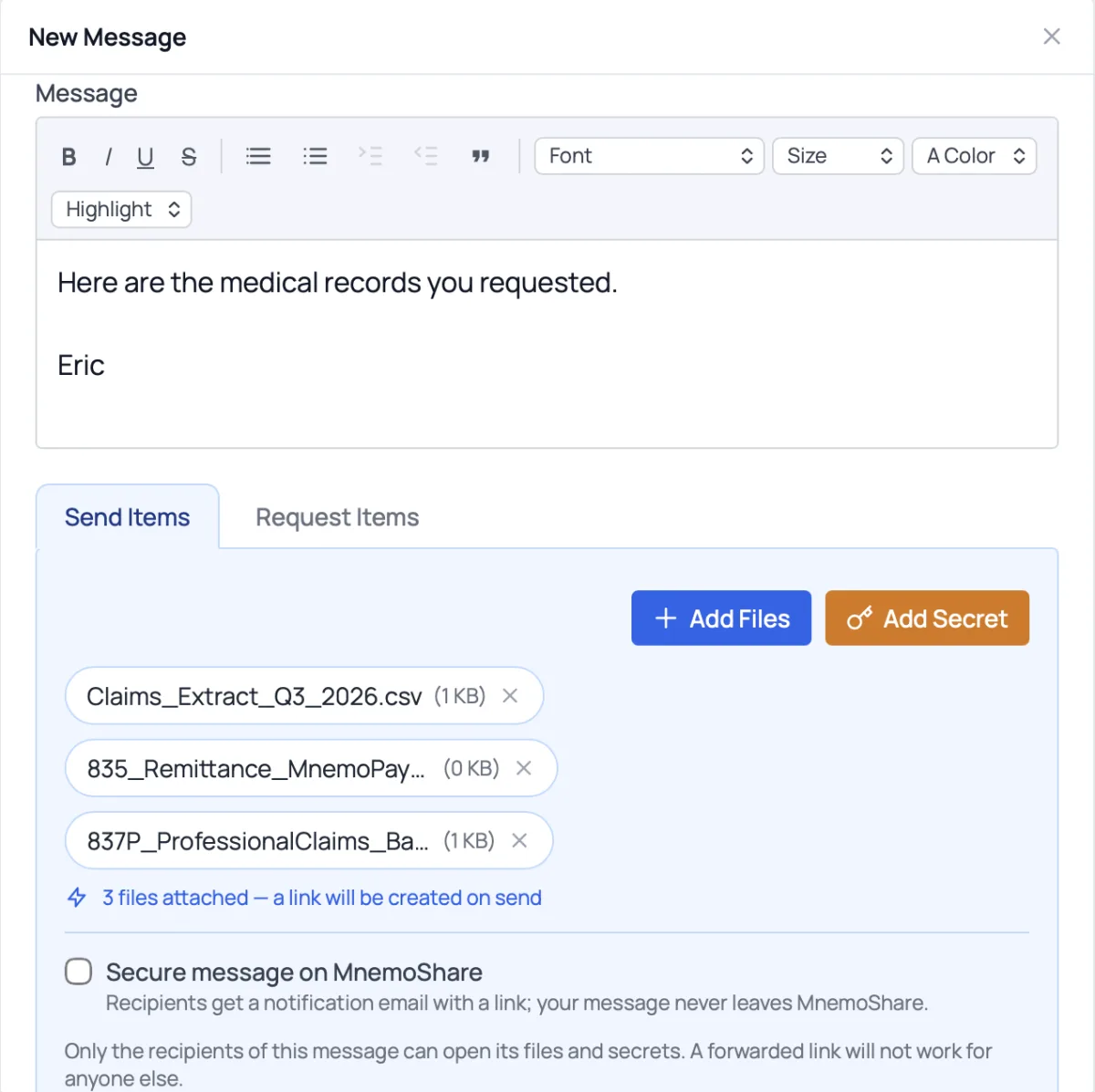
01You send
Attach files and send. A secure link is created for you.
 02
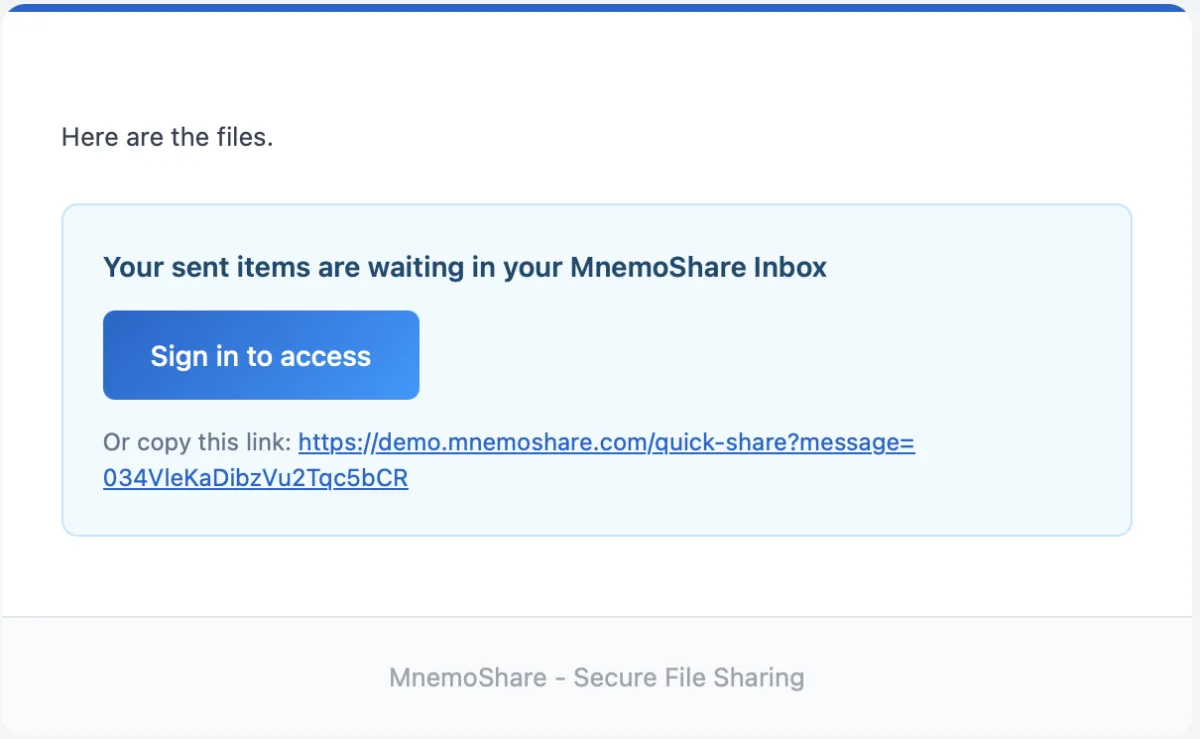
02They get an email
A notification with a secure link. Your files stay on MnemoShare.
 03
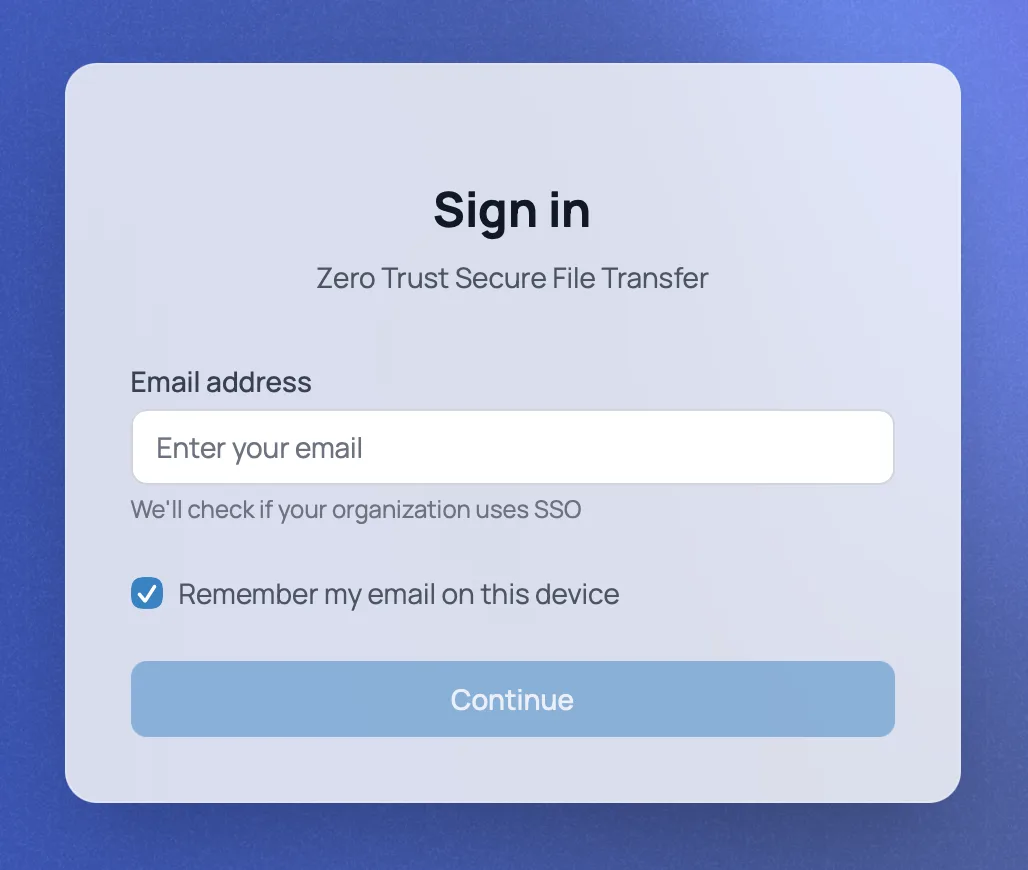
03They confirm who they are
They sign in with their email address before anything opens.
 04
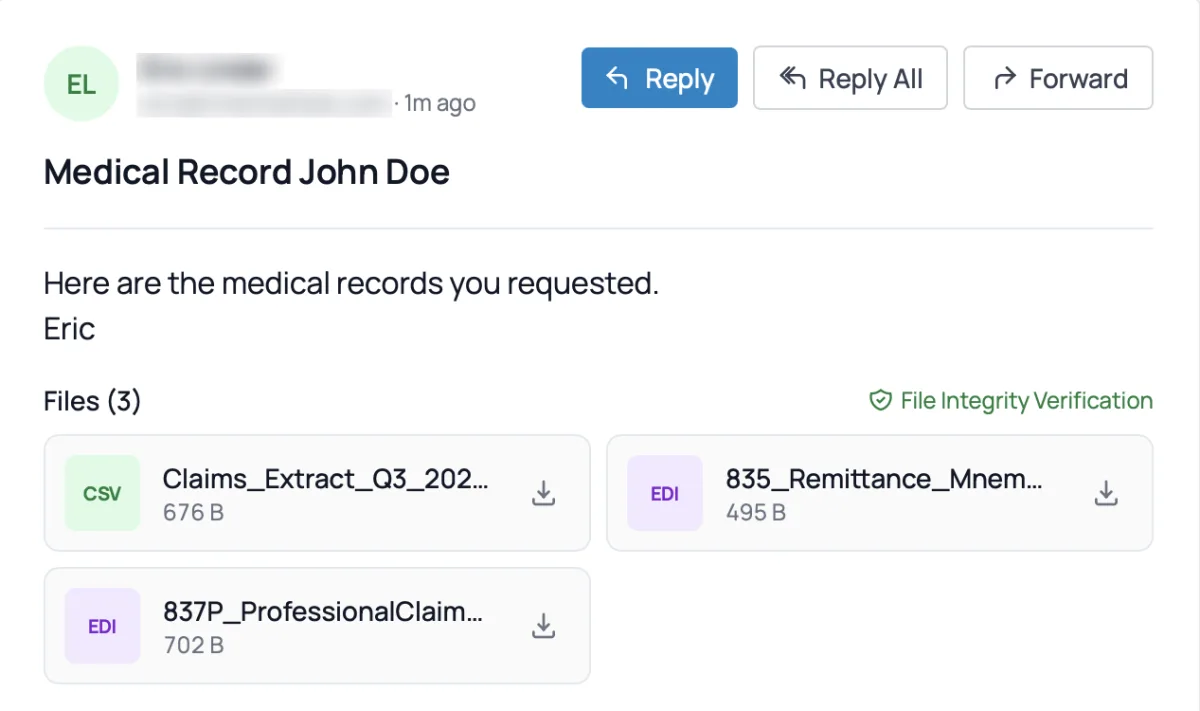
04They open the files
In their browser, with a file-integrity check. Every open is recorded.
Partners who can only use SFTP? They keep connecting the way they do today. You get the record and the controls. Replacing SFTP →
Built for the transfers that actually hurt
Large datasets, unreliable links, and the systems that will never stop speaking SFTP.
Moving the data
- Parallel chunked transfers with resume — an interrupted transfer restarts from the last completed chunk, not from zero
- Direct multipart streaming to S3, so large datasets do not stage through an appliance bottleneck
- Store in your own buckets
Reaching your systems
- SFTP, FTPS and Rsync connectivity for the systems that still need it
- Full REST API for anything you want to drive yourself
- Cross-platform CLI for Windows, macOS and Linux
What happens to a file on the way in
Reaching storage is not the same as being accepted. Every file is inspected before it lands, and every action becomes evidence.
Inspected
- ClamAV and ICAP malware scanning with YARA rules, before the file reaches storage
- DLP inspection across 40+ patterns in six categories — PHI, PII, PCI, secrets, infrastructure, regulatory
- Automated quarantine with admin review rather than a silent drop
Protected and recorded
- Encrypted AES-256-GCM per file, with keys wrapped by your KMS
- One-time secrets for the credential that has to travel alongside the file — it dies on read
- Every action writes a structured audit event, exportable to WORM storage and to Splunk or Datadog
Beyond traditional MFT
Most managed file transfer platforms were designed before modern threats existed. Here is how MnemoShare compares.
| Capability | Traditional MFT | MnemoShare |
|---|---|---|
| Partner onboarding | Exchange an SSH key, then rotate it on a schedule | Send a verified link — no key is ever created |
| Credential lifetime | Permanent until someone remembers to rotate it | 60 minutes by default, expires on its own |
| Client software | Partner installs and configures an SFTP client | A browser |
| Encryption at rest | Disk-level, if it was configured | AES-256-GCM per file, keys wrapped by your KMS |
| Content inspection | None — the server moves bytes | ClamAV and DLP inspection before the file is stored |
| Audit trail | Server logs: a filename, a timestamp, an IP address | Structured events tied to a verified identity, with WORM export |
| Revoking access | Find and delete the key everywhere it was copied | Disable the user |
See how MnemoShare compares. Schedule a demo
Real-world use cases
Onboarding a billing partner
A healthcare practice needs to exchange claims files with a new billing vendor. Instead of generating an SSH key, mailing it, and adding it to a rotation schedule, an admin sends a scoped link. The vendor uploads through a browser the same afternoon, and every file they touch is attributable to a named person.
Moving a genomics dataset
A CRO transfers several hundred gigabytes to a sponsor over a link that drops twice. Chunked transfers resume from the last completed chunk rather than restarting, and the data streams directly to the sponsor’s own S3 bucket instead of staging on an appliance.
Answering the examiner
An auditor asks who accessed a specific file and when. The answer is a query against structured events tied to verified identities and exported signed — not an afternoon of correlating server logs against a spreadsheet of who held which key.
Frequently asked questions
Do partners need a MnemoShare account?
No. Partners receive a tokenized link scoped to a single relationship and authenticate against it. There is no account to provision, no software to install, and no key to exchange or later revoke.
Can we keep running SFTP while we migrate?
Yes. SFTP, FTPS and Rsync connectivity remain available, so flows can move one at a time rather than in a single cutover. Most teams start with one partner exchange, prove the audit trail against a real question, then move the rest.
Where are the files stored?
In object storage you control, with per-file keys wrapped by your KMS. Self-hosted deployments keep files, keys and audit events entirely inside your environment.
What happens if a transfer is interrupted?
Transfers are chunked and resumable. The transfer continues from the last completed chunk rather than starting over, which matters most on the large datasets that are slowest to move.
How is this different from a portal that emails a download link?
The link is bound to a verified identity rather than to whoever holds the URL, the file is scanned for malware and sensitive data before it is stored, and every access is a structured audit event rather than a web-server log line.
Ready to see MnemoShare in action?
Start a free trial, schedule a walkthrough, or dive into the docs.