Advanced Email Security
Stop phishing and payment fraud. Stop sensitive data before it leaves.
Protection for mail coming in, going out and moving inside your organization. Phishing and payment fraud are stopped, and patient, customer and research data can't leave by email unprotected.
Microsoft 365 and Google Workspace · Under 750 users? MnemoShare Lite →
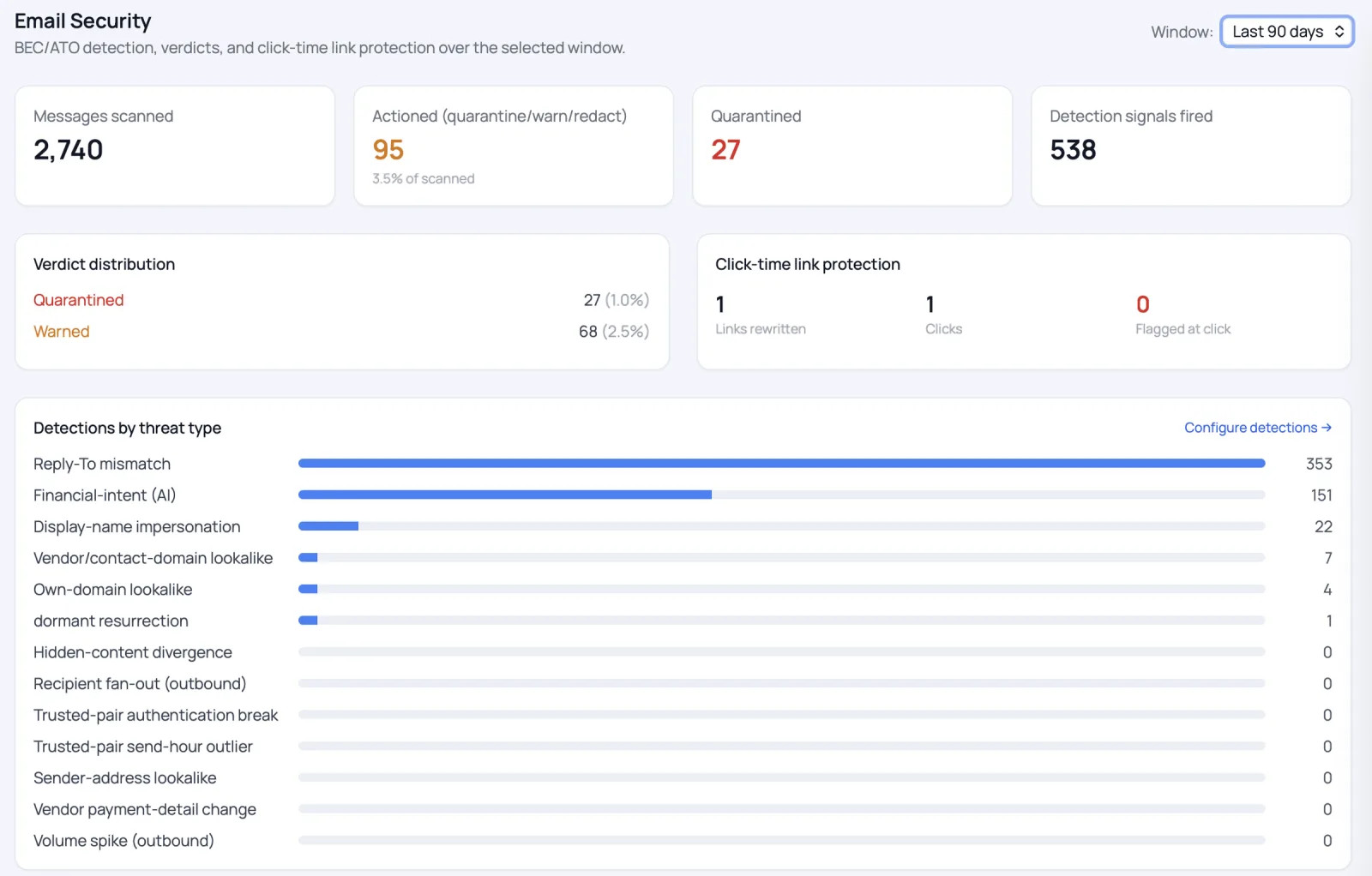
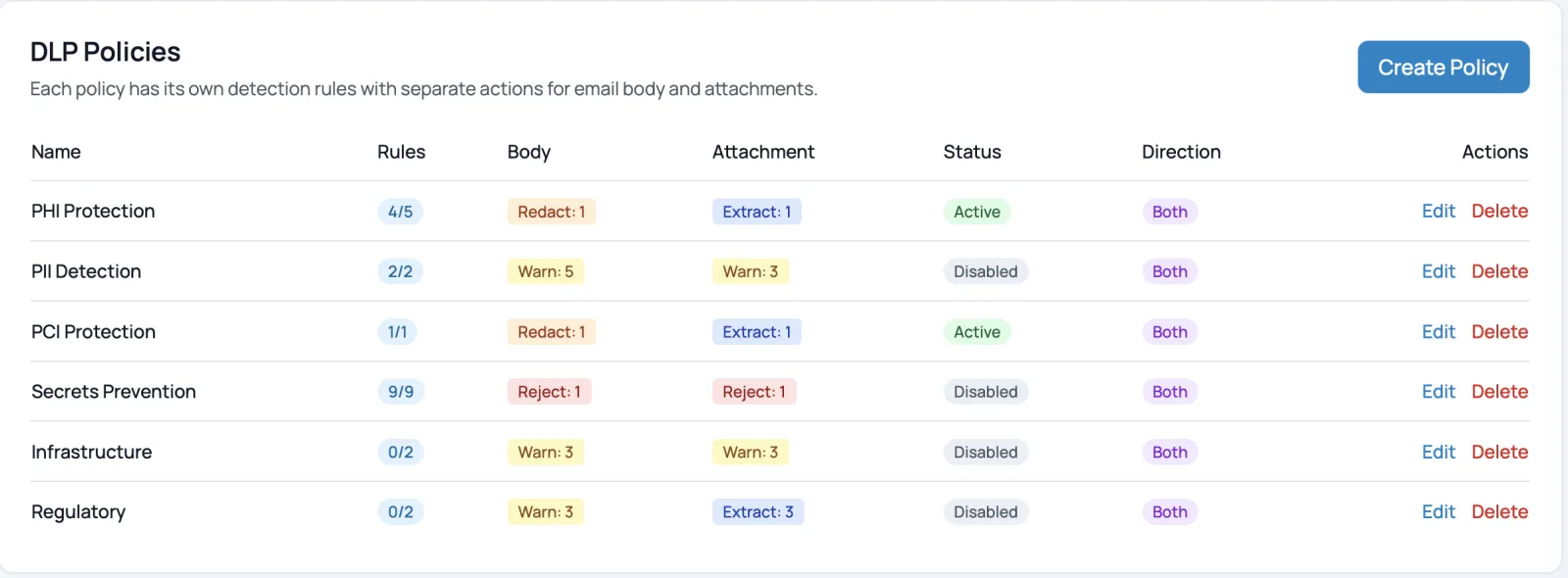
Proof you can check
A pilot on your own mailJudge us on what we find in your traffic, not on a logo wall.Reasons you can read
No black-box scoreEvery detection names why it fired.Pricing on the page
Every capability includedNo quote needed to know the cost.Multiple ways to deploy
API or inline gatewayConnect by API, or run it as a gateway that enforces before delivery.The problem
Most email security only watches what comes in.
The expensive problems in healthcare, finance and life sciences are just as often what goes out.
Coming in
Fraud that looks like business as usual
- A “vendor” asks to update their bank details
- An “executive” needs a wire sent before the end of the day
- An email from an address made to look like someone you trust
Going out
Data that leaves and can't be recalled
- A spreadsheet of patient records sent as an attachment
- Account numbers pasted into a reply to the wrong person
- A formulation attached to the wrong thread
What you get
One product. Three jobs. Nothing sold as a module.
Stops fraud and phishing
- Payment, invoice and payroll fraud
- Fake requests from executives and vendors
- Links checked again at the moment of click
Keeps regulated data from leaving
- Catches patient, customer and financial data, even mid-sentence
- Redacts it, holds it, or sends it as a secure link
- Proof of who opened what, and when
You decide where it runs
- Connect by API in hours
- Or run it as a gateway that enforces before delivery
- Or host it yourself, so mail never passes through our cloud
How detection works
More than a filter with AI bolted on.
Microsoft and Google catch the obvious. We look at who is really writing, what they want from you, and whether the account behind the message is still in the right hands. Then we tell you why.
Who is this, really?
The sender is checked against your history with them: first contact, a long-dormant vendor, a look-alike domain, a borrowed display name, a broken sender signature.
look-alike domain · reply-to mismatch
What are they asking for?
AIAI reads each message for intent the way a careful colleague would: changed bank details, urgent wire or gift-card requests, payroll changes, W-2 requests, pressure from “the CEO.”
wire · invoice · payroll · W-2
Is the account still theirs?
Unusual sign-ins are matched with unusual mail. When a colleague's or vendor's account has been taken over, the attacker's sessions are ended and their messages pulled back.
unusual sign-in + unusual mail
Act, and explain why
Deliver, warn, hold for review or remove, with the named reasons shown to your team. An admin's release decision always stands.
reasons: shown to your team
What it stops
- Business email compromise
- CEO and vendor fraud
- Account takeover
- Impersonation & look-alike domains
- Invoice & payroll fraud
- Credential phishing
- Phishing from a compromised colleague
Included · phishing simulation
Test your people with the same attacks we stop.
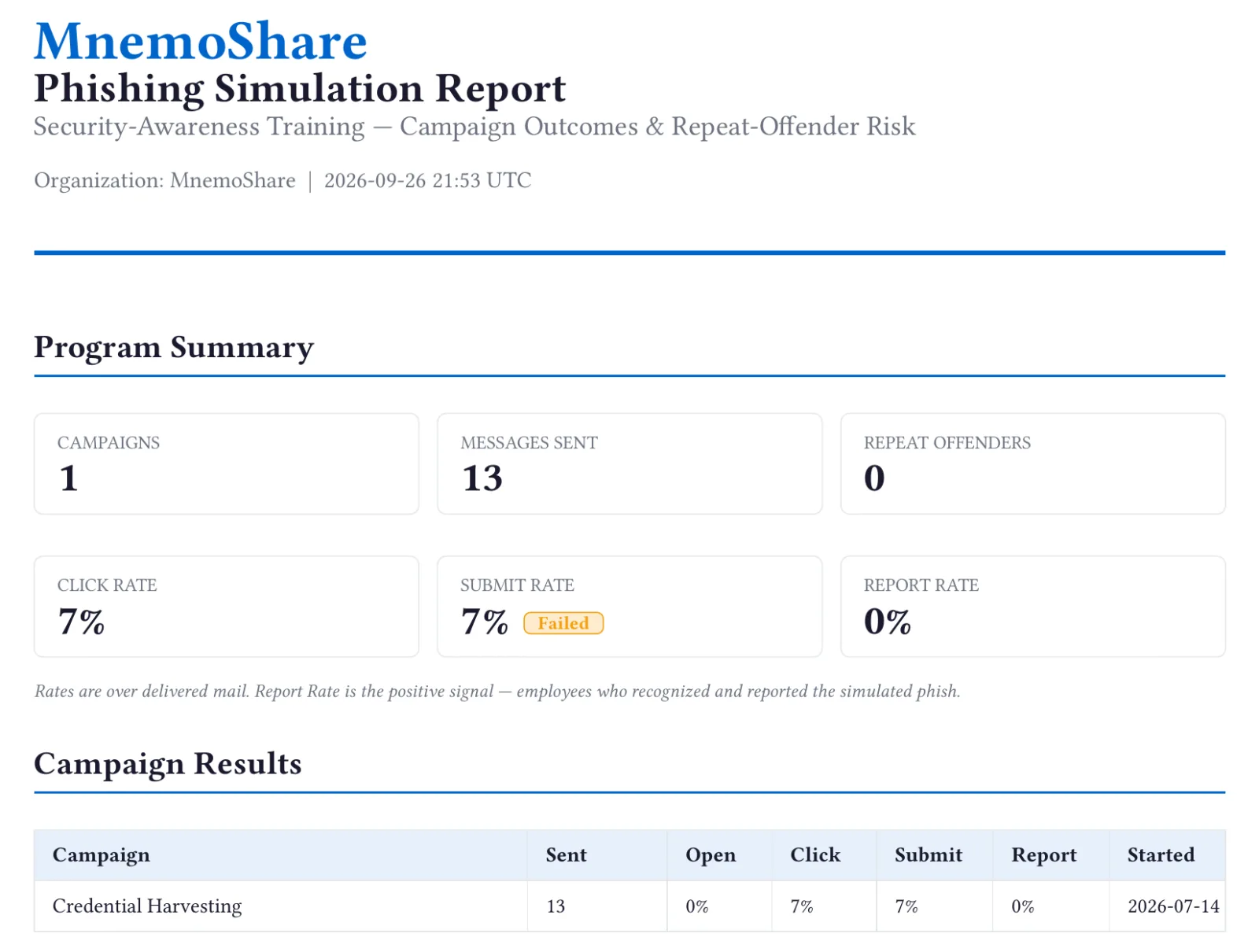
Run simulated phishing campaigns using the scams that cost regulated teams the most, and see who opened, who clicked, who entered credentials and, most important, who reported it.
- Executive impersonation
- Wire-transfer request
- Invoice fraud
- Payroll redirect
- Credential harvesting
- Spear phishing
- Included in the price. No separate training contract.
- Schedule a campaign, or save it as a draft until you're ready
- A report you can share with leadership: click, submit and report rates per campaign, plus repeat-offender risk
Gateway · inline, before delivery
An inline gateway without the migration.
Traditional gateways mean re-pointing your email to them. API-only tools clean up after delivery. Our Gateway checks every message before it reaches an inbox, while your email stays hosted exactly where it is today.
No change to your email setup
Your mail stays hosted where it is, and your domain's email settings stay as they are.
No downtime
Switch over one domain at a time, run side by side, then turn on enforcement.
Before and after delivery
Blocked on the way in, and still pulled back if something turns harmful later.
Outbound included
Sensitive data going out is caught in the same pass. Not a separate product.
Built for regulated work
Made for the industries where one email can cost the most.

Healthcare
Patient data doesn't leave by email unprotected, and billing stops being the easiest target in the building.
Healthcare →
Financial services
Stop the wire-fraud email before anyone acts on it, and hand examiners a record of every sensitive document that left.
Financial services →
Life sciences
Your IP and trial data go out as secure links you can revoke, not attachments you can't get back.
Life sciences →Also serving accounting, legal and other regulated teams. Other industries →
Every capability included
One product for fraud, phishing and outbound data. Nothing sold as a module.
Sized for you
Right-sized for your organization.
Under 750 users
MnemoShare Lite
The same fraud protection and outbound data protection, from 10 users. No volume tiers.
Explore Lite750 users and up
Advanced Email Security
Graduated pricingEvery capability included. Each block of users bills at its own rate, so there's no jump at a band boundary.
See pricingSee it on your own mail
Proof on your own mail, not a vendor's claims.
- 01
Connect by API
Admin approval in Microsoft 365 or Google Workspace. No change to mail flow.
- 02
See what we catch
A detection report built from your own traffic, not a vendor benchmark.
- 03
Decide on enforcement
Keep the API, or add the Gateway to stop threats before delivery and control what leaves.
Questions
What buyers ask first.
Do our people have to change how they send email?
No. There's no plug-in, no new app and no training. Senders keep working as they do today.
Does this replace Microsoft's or Google's filtering?
It works on top of it. The API adds a smarter layer; the Gateway adds enforcement before delivery and control over what leaves.
Where does our mail go?
Your choice. Use our hosted service, or run it in your own environment so mail never passes through our cloud.
We already have an email security vendor. Now what?
Many teams add us beside what they have, for outbound data protection and secure delivery. Others replace their gateway at renewal.
For your IT & security team
Need the technical detail?
Mail routing (hairpinned, inline), mail authentication and deployment architecture are one click away.