API
Protection in hours. Nothing changes in how your mail flows.
Connect Microsoft 365 or Google Workspace with an admin approval. We start finding fraud and phishing on your own mail the same day, and pull harmful messages out of every inbox they reached.
How detection works
A smarter layer on top of the filtering you already have.
Microsoft and Google catch the obvious. We look at who is really writing, what they want from you, and whether the account behind the message is still in the right hands. Then we tell you why.
Who is this, really?
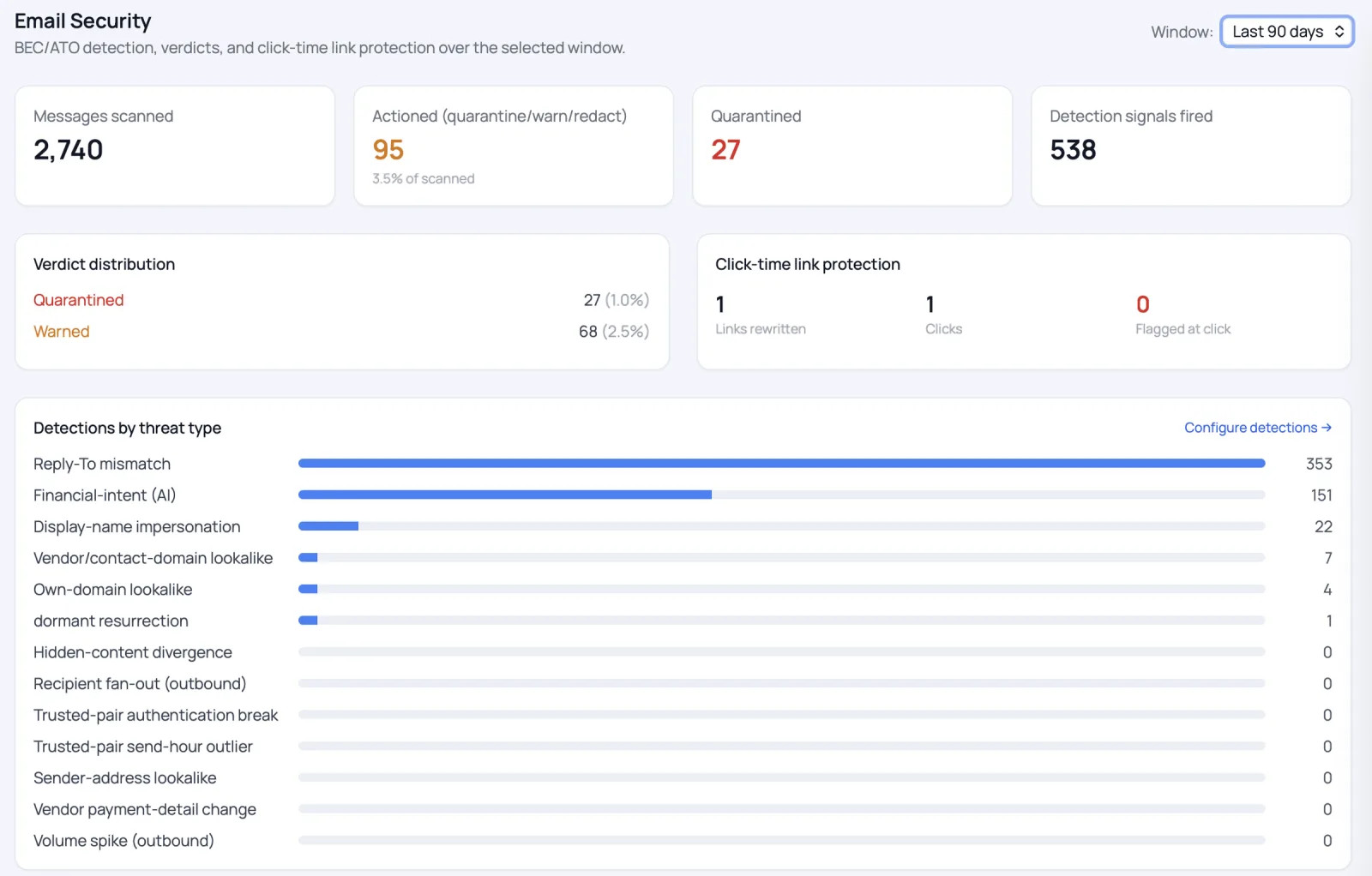
The sender is checked against your history with them: first contact, a long-dormant vendor, a look-alike domain, a borrowed display name, a broken sender signature.
look-alike domain · reply-to mismatch
What are they asking for?
AIAI reads each message for intent the way a careful colleague would: changed bank details, urgent wire or gift-card requests, payroll changes, W-2 requests, pressure from “the CEO.”
wire · invoice · payroll · W-2
Is the account still theirs?
Unusual sign-ins are matched with unusual mail. When an account has been taken over, the attacker's sessions are ended and their messages pulled back.
unusual sign-in + unusual mail
Pull it back, and explain why
Harmful mail is removed from every inbox it reached, or flagged with a warning, with the named reasons shown to your team. An admin's decision always stands.
reasons: shown to your team
Pulls it back from every inbox
When one message is harmful, every copy is removed, including ones already delivered.
Watches mail between colleagues
Attacks sent from a compromised colleague's account are caught too.
Checks links at the click
Links are checked again when someone clicks, not just when the email arrives.
What it stops
- Business email compromise
- CEO and vendor fraud
- Account takeover
- Impersonation & look-alike domains
- Invoice & payroll fraud
- Credential phishing
- Phishing from a compromised colleague
Getting started
From approval to your first detections.
- 01 · DAY ONE
Approve the connection
An administrator approves access. No mail-flow change and no downtime.
- 02 · WITHIN HOURS
See what we find
Detections on your live mail, starting in monitor mode so nothing is removed until you say so.
- 03 · YOUR CALL
Turn on response
Switch on automatic removal when you're ready, signal by signal.
Protection in hours
First detections the same day, and nothing is removed until you say so.
Want enforcement before delivery?
Add the Gateway, without the migration.
It checks every message before it reaches an inbox and catches sensitive data going out. Your email stays hosted where it is, it goes in without downtime, and this API connection comes with it.
See the Gateway →Pricing
API pricing
For your IT & security team
Need the technical detail?
Permissions requested, data handling and where detection runs.